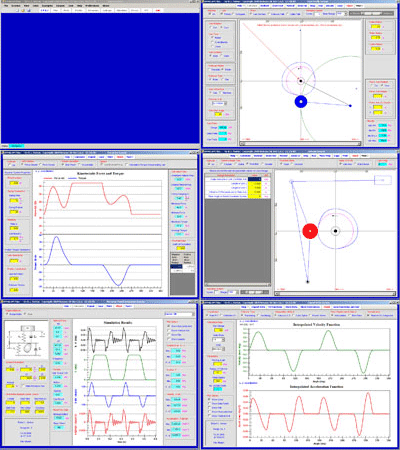
Is used by many companies around the world to design commercial cams and is available in two versions. It has been completely rewritten to be compatible with Windows 7 and future operating systems.
This program solves the kinematic and dynamic equations for cam-follower systems. Radial, linear, and barrel cams with either translating or oscillating followers can be designed. Roller and flat-faced translating followers can be accommodated on radial cams and roller followers on barrel and linear cams. All of the standard, acceptable, double-dwell cam functions are included such as modified trapezoidal, modified sine, cycloidal, 345 polynomial, and many others. General polynomial functions and B-spline functions can also be designed using any user-specified set of boundary conditions to create custom cams that use multiple, single, or no dwells. External force-time loading functions can be applied to the follower. The pressure angles and radii of curvature are calculated for any user-selected base or prime circle diameter. If the user supplies estimates of the lumped mass, spring constant, and damping of the follower system, the program will calculate the kinetostatic follower force and camshaft torque. Dynacam 10 also provides five different dynamic models (1- and 2-mass) for the estimation of true dynamic force and vibration of the follower, using a 4th-order Runge-Kutta algorithm. Polydyne and splinedyne cams can be created. The cam profile is calculated and a cutter-coordinate file can be exported in Cartesian coordinates in a form that can be imported into Excel, Autocad, Pro-Engineer, Solidworks, Unigraphics, and other CAD packages. All calculated kinematic and dynamic parameters can be plotted, and all data may be printed to the screen, or to a disk file suitable for import to a spreadsheet program. Data necessary to the sizing of a flywheel for any selected coefficient of fluctuation are calculated. The combined torque of any number of cams on a common camshaft can also be determined. The Hertzian surface stresses in cam and follower due to the dynamic loads plus any user-specified dynamic external load function and the weight of the follower train are calculated.
This new program has all the functionality of Dynacam 10 and adds the ability to import a cam profile and reverse-engineer the cam by fitting B-spline or other functions to the data. It will also design a fourbar or sixbar linkage/slider follower train, driven by the cam. The linkage geometry can be created within Dynacam 10 Plus and analyzed for its kinematics. The chosen cam displacement function can be applied either to the cam arm or to the end effecter and the cam profile will be modified accordingly. The linkage geometry and the cam arm displacement, velocity, and acceleration functions can be exported to a text file that can be imported to program Linkages. This linkage design and analysis program will do a complete kinematic and dynamic analysis of the cam-driven fourbar and sixbar linkages in both rotating and slider configurations and calculate pin forces and driving torques. Dynacam 10 Plus is available as a stand-alone program or in combination with program Linkages at package prices that offer substantial savings over individual purchases. Note that Dynacam 10 Plus also can be used to create servo drive functions and these can be imported to the Linkages program noted above to analyze joint forces and the torque required of the servomotor to drive the mechanism.
"Dynacam excels at defining and analyzing cam motions. The number of cam functions available, including polynomials and B-Splines, is tremendous. By using Dynacam I am able to design better cams in less time, which is a great combination!"
-Tim R. Chevalier P.E. - Machine Design Project Engineer - Tyco Electronics - Harrisburg PA
"Dynacam lets me create unique, custom cam functions or choose from classic and special low-vibration functions. Also, the analysis tools let me see the pressure angles, curvature, kinetostatic force & torque, and also dynamic forces, vibration, and contact stresses. I can quickly compare the results of design changes and converge to a good final design."
-Charlie Gillis - Mechanical Equipment Engineering - The Gillette Company - Boston MA
"We found Dynacam easy to use and powerful for the design of complex cam profiles. We tested the software on automatic machine cams that need to run very fast and have a profile with smooth dynamics. Our cams are desmodromic and Dynacam helped us to design the principal cam profile and also generated the conjugate profile immediately. Field tests on the working machine confirmed the high quality of the cam profiles obtained from Dynacam, as we found no vibrations at operating speeds."
-Alessandro Zocca - Studio Tecnico Zocca - ITALY
System Requirements |
|
Some of the companies using Dynacam around the world |
|
|
|
Features
|